How to Update Your PAN Card Address: A Step-by-Step Guide
Looking to change your address in your PAN card online? Read our comprehensive tutorial on How to Update Your PAN Card Address: A Step-by-Step Guide.
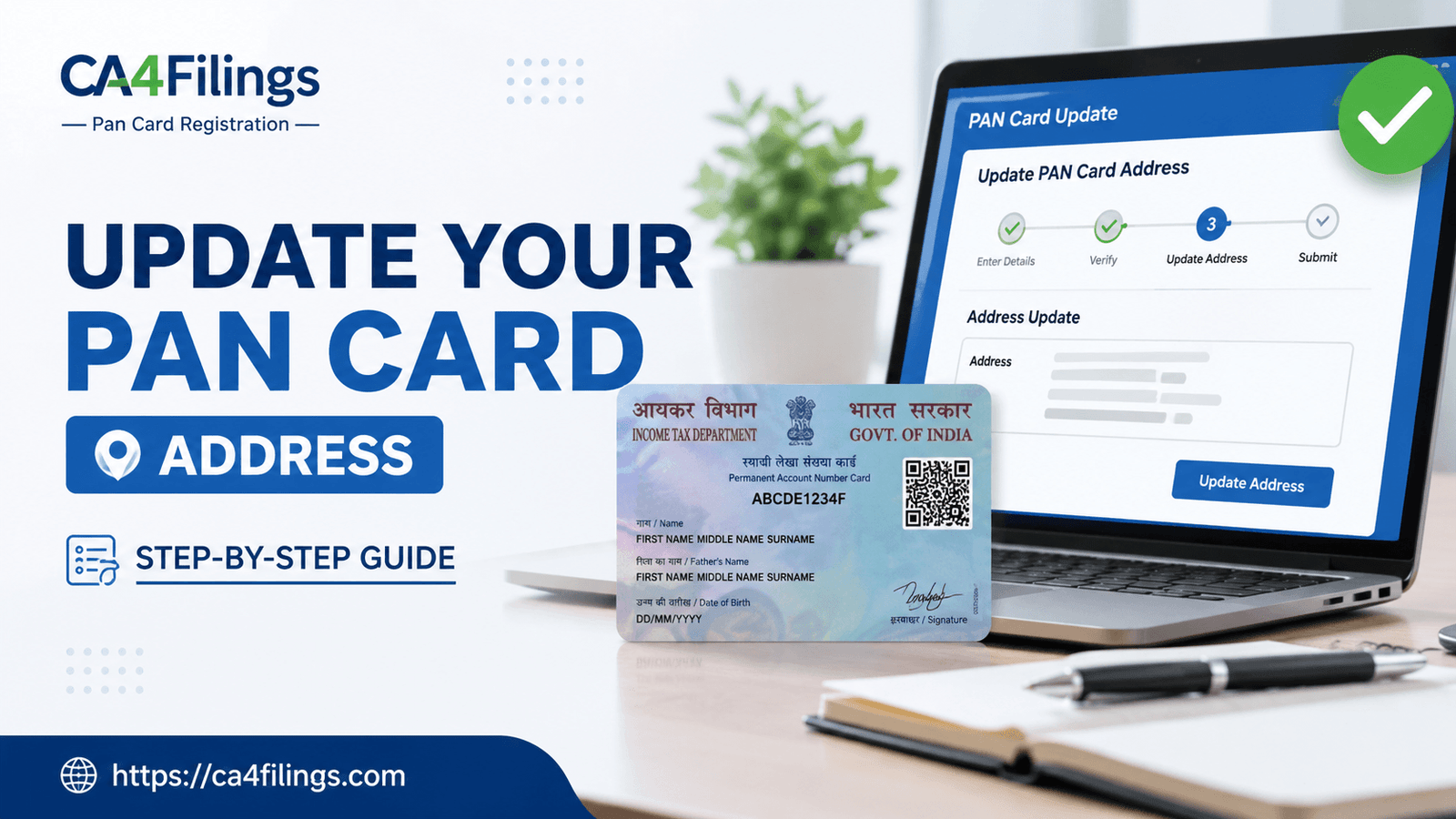
As practicing Chartered Accountants, one of the most common issues we see individuals and business owners face during tax season is a structural mismatch in their primary identification documents. Your Permanent Account Number (PAN) is the single most critical financial identifier in India. Whether you are opening a corporate bank account, applying for a commercial loan, or filing your annual Income Tax Returns (ITR), your PAN details must align perfectly with your actual, physical location. If you have recently shifted your residence or relocated your primary business office, learning How to Update Your PAN Card Address: A Step-by-Step Guide is absolutely crucial to avoid unnecessary compliance delays, missing physical intimations from the Income Tax Department, or issues with banking KYC updates.
Many taxpayers mistakenly believe that updating their address on Aadhaar automatically corrects their details across all other government databases. Unfortunately, that is not how it works. While the initial Pan Card Registration sets up your permanent identity with the Income Tax Department, any subsequent change in your lifecycle—like moving to a new city—requires a formal correction application. In this detailed manual, we at CA4Filings will walk you through the entire process seamlessly, breaking down both the online and offline mechanisms so you can maintain a flawless tax profile.
Why You Need to Learn How to Update Your PAN Card Address: A Step-by-Step Guide
In our advisory practice at CA4Filings, we often come across clients who ignore updating their communication address simply because their day-to-day financial transactions are going through fine. However, out-of-date records can lead to severe operational roadblocks down the road. Here is why prioritizing this update is vital:
Official Communications: The Income Tax Department frequently sends physical notices, assessment orders, and physical refund cheques (in rare cases where electronic clearing fails) to your registered address. Missing these can result in severe legal complications or ex-parte orders.
Banking and Demat Compliance: Under strict Reserve Bank of India (RBI) and SEBI guidelines, financial institutions periodically perform Central KYC (CKYC) scrubs. If your PAN address records contradict your bank account proof, your accounts can be temporarily frozen.
Corporate Identity Alignment: For entrepreneurs, your personal PAN details directly impact your eligibility as a director in a Private Limited Company or as a partner in an LLP during regular ROC compliance verifications.
Pre-requisites: Documents Required for PAN Address Update
Before initiating the process outlined in this manual on How to Update Your PAN Card Address: A Step-by-Step Guide, ensure you have scanned copies of your supporting documents handy. The Income Tax Department accepts several valid proofs. Having these ready prevents your application from being put on hold or rejected by the processing portals (NSDL/Protean or UTIITSL).
For Individual Taxpayers
You can submit any one of the following as valid proof of address:
Aadhaar Card (the easiest and fastest route for e-KYC validation).
Passport, Voter ID card, or Driving License.
Recent Utility Bills: Electricity Bill, Water Bill, or Consumer Gas Connection Card (not older than 3 months).
Financial Statements: Bank Account Statement or Credit Card Statement bearing your current address (not older than 3 months).
Government Allotment: Allotment letter of accommodation issued by the Central or State Government.
For Non-Individual Taxpayers (Companies, LLPs, Firms)
If you are updating the registered office address for your corporate entity, you will need:
Copy of the Certificate of Incorporation or Registration Certificate.
Proof of address of the business location (like a registered rent agreement along with a utility bill).
A formal resolution passed by the Board of Directors or partners authorizing the address modification.
CA Professional Insight: Always ensure that the name on your address proof exactly matches the name on your PAN card. Even a minor spelling difference or initials expansion discrepancy can lead to your application being rejected by NSDL or UTIITSL auditors.
The Digital Route: How to Update Your PAN Card Address: A Step-by-Step Guide Online
The Income Tax Department provides two official portals to process your corrections online: Protean (formerly NSDL e-Gov) and UTIITSL. Both follow an identical legal framework. Below is the simplified, practical sequence of steps to complete your address update online via the Protean portal.
Step 1: Visit the Official Portal Go to the official Protean (NSDL) Online PAN Application portal. Under the 'Application Type' dropdown menu, select "Changes or Correction in PAN Data / Reprint of PAN Card (No modifications in existing PAN Data)".
Step 2: Select Your Category Choose your relevant category. For personal cards, select 'Individual'. For business entities, select 'Company', 'Firm', or 'LLP' as applicable.
Step 3: Fill in Basic Applicant Details Enter your title, last name, first name, date of birth, email ID, mobile number, and your existing 10-digit PAN number. Specify whether you are a citizen of India. Accept the declaration terms, enter the captcha code, and click 'Submit'.
Step 4: Generate and Save Your Token Number Upon submission, the portal will generate a unique temporary Token Number. Note this down immediately. If your session times out or your internet disconnects, this token allows you to resume your form filling right where you left off. Click on "Continue with PAN Application Form".
Step 5: Choose Document Submission Mode You will be presented with three options to submit your documents:
Option A: Submit digitally through e-KYC & e-Sign (Paperless): This is the fastest method. It uses your Aadhaar data and OTP validation. Note that this will automatically fetch your address from your Aadhaar record; you cannot type a different address manually.
Option B: Submit scanned images through e-Sign: This option allows you to upload custom scanned copies of other address proofs (like a passport or utility bill) and your signature.
Option C: Forward application documents physically: A legacy method where you print the form, affix photos, and mail it to the NSDL office in Pune. We advise avoiding this unless digital options are entirely unavailable.
Step 6: Update the Address Section Check the box next to 'Address for Communication'. Select whether it is your 'Residence' or 'Office' address. Carefully type in your new address details, ensuring fields like PIN code, State, and District are highly accurate.
Step 7: Provide Existing PAN Proof In the document section, select the proofs you are uploading. For proof of PAN, upload a copy of your existing PAN card or your formal allotment letter.
Step 8: Payment of Fees Once the data is filled, you will be redirected to the secure payment gateway. For a digital PAN card copy (e-PAN), the fee is ₹66, while a physical plastic card delivered to an Indian address costs ₹101 to ₹107 depending on the exact processing mode. You can pay via Net Banking, UPI, Credit Card, or Debit Card.
Step 9: Aadhaar Authentication and e-Sign If you opted for the paperless route, enter your Aadhaar number and request an OTP. Enter the OTP sent to your Aadhaar-registered mobile number to digitally sign your application. Your online submission is now complete!
What Happens Post-Submission? Tracking Your Status
Once you successfully submit the application via this manual on How to Update Your PAN Card Address: A Step-by-Step Guide, you will receive a 15-digit Acknowledgement Number on your registered email address and mobile screen.
You can track the live processing status by visiting the Protean PAN tracking page, selecting the application type, and entering your acknowledgement code. Typically, the Income Tax Department validates your proofs within 7 to 15 business days. Once approved, an updated digital e-PAN is sent to your email, and a fresh physical card is dispatched via India Post to your newly registered address.
Frequently Asked Questions (FAQs)
Q1: Can I change my PAN card address for free?
Ans: No, there is no completely free option. The government charges a mandatory processing fee for any correction or update in PAN data. The standard fee is around ₹101 to ₹107 for a physical card delivered within India, or ₹66 if you only require a digital e-PAN copy via email.
Q2: How many days does it take to update the address on a PAN card online?
Ans: Generally, if your documents are clear and your Aadhaar e-KYC matches seamlessly, the verification takes about 7 to 10 working days. The updated e-PAN is generated immediately upon approval, while the physical card reaches your door within 2 to 3 weeks via standard speed post.
Q3: Is it mandatory to update my office address if I am a salaried individual?
Ans: No. For salaried individuals, it is highly recommended to keep your 'Residence Address' as your primary address for communication. Office addresses should primarily be used by corporate bodies, partnerships, sole proprietorships, or professional consultants operating out of a dedicated commercial space.
Q4: What should I do if my address update application gets rejected?
Ans: Rejections typically happen due to a name mismatch between your PAN and your address proof document, or due to blurred scans. If rejected, you will receive a specific clarification email indicating the exact deficiency. You can log back into the portal using your Token Number and re-submit the rectified documents without paying the fee again, provided it is done within the stipulated timeframe.
Keep Your Tax Profile Flawless with CA4Filings
Maintaining accurate demographic details with the Income Tax Department saves you from unexpected compliance risks, missed notifications, and operational bottlenecks. We hope this comprehensive resource on How to Update Your PAN Card Address: A Step-by-Step Guide gives you the exact clarity needed to manage your records independently.
Latest Updates
ca4filings.com Services
























-registration.png)